
The secrets to a professional LinkedIn photo
A professional photo on LinkedIn helps create a professional and impactful profile.
LinkedIn is the leading professional social media platform. Whether you’re looking for a job, clients or wanting to expand your business network, LinkedIn enables you to build a genuine network relevant to your line of work.
The first thing visitors notice on your profile is your portrait photograph. First impressions count.
So what are the secrets to a professional LinkedIn profile picture?

Smile, you’re on camera!
A smile is a simple way to make a good impression. Even in a professional portrait, a smile helps you build trust and rapport with your contacts. Come across as open, show the best side of your personality and encourage others to connect with you and meet you.
Being in front of the camera can sometimes feel stressful. You may not feel entirely at ease, and your smile may look forced. However, a professional photographer will know how to put you at ease, help you strike a pose and capture your best portrait.
See the photographer’s lens
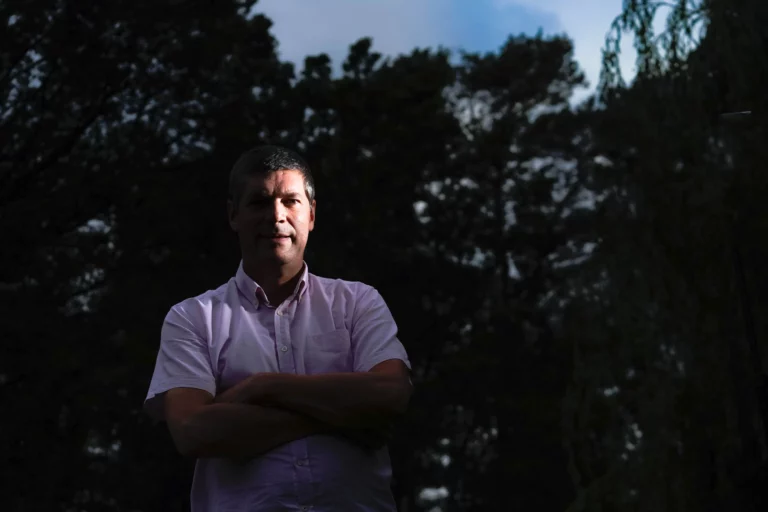
Looking straight into the photographer’s lens can be a real bonus. It gives the impression that you’re looking the person viewing your profile straight in the eye. A direct gaze shows that you have nothing to hide. It’s all about trust between you and your network.

A camera angle, a pose
For your LinkedIn profile photo, there’s no need to use a full-length shot. It is your smile and your upper body that will make the difference.
A close-up of your face or a half-length shot is still best: your contacts need to be able to recognise you even though the photo isn’t very large.
Trust a professional photographer to capture you at your best in a serious (but not too serious), dynamic shoot that showcases your strengths. Above all, avoid selfies.
Clothes make the man
Our advice for your LinkedIn profile photo is simple: do not try to look like someone else. Do not wear a suit or a skirt suit if you never wear one at work. Choose an outfit that reflects who you are for a successful photo shoot. Be yourself.
The importance of the background in a photograph
A portrait photographer leaves nothing to chance. Choose a neutral background (white, grey, black, blue, etc.) that does not overshadow you.
During the photo shoot, avoid props such as plants, cameras, etc., unless they are relevant to your line of work. However, take care not to distract from the portrait itself. Simpler is often better.
In the same vein, avoid holiday photos, whether taken at the beach or in the mountains (though, again, unless they’re relevant to your job, of course), and opt for something understated: stick to a business and work theme.

Use a recent photo
Your LinkedIn profile picture, just like the one on your CV, should represent you as you are today. People should be able to recognise you. So feel free to update it regularly (it’s also a good opportunity to engage with your network).
Choose a professional photographer
For an effective profile photo, commission a professional portrait. It is a key tip – indeed, the most effective one – for securing a high-quality image.
Our portrait photographer ensures high-quality images that present you at your best – well staged, well framed and lit to suit you. During the shoot, they will guide you on posture and expression. A professional: a safe bet.
Use a professional portrait to showcase your expertise. A photo that truly reflects who you are can strengthen your LinkedIn profile and help you engage your network.